What Is an IP Address? Understanding IP Addresses – The Foundation of Networking
In today’s world with so many devices connected to the internet there is a need for each device that accesses the internet to have a unique identifier called an IP Address. When you’re creating a firewall, sending an email, using a cloud-based application, or surfing the web, you’ll need to know What Is an IP Address.
IP address are the building blocks of networking. They allow devices to identify one another and exchange data; both locally and globally. The basics of IP Address Understanding are among the most essential networking concepts for IT professionals.
At Firewall Zone we make it easy for both beginners and advanced users to gain a better understanding of networking, cyber security and firewall technologies in a straight-forward and practical manner.
What Is an IP Address?
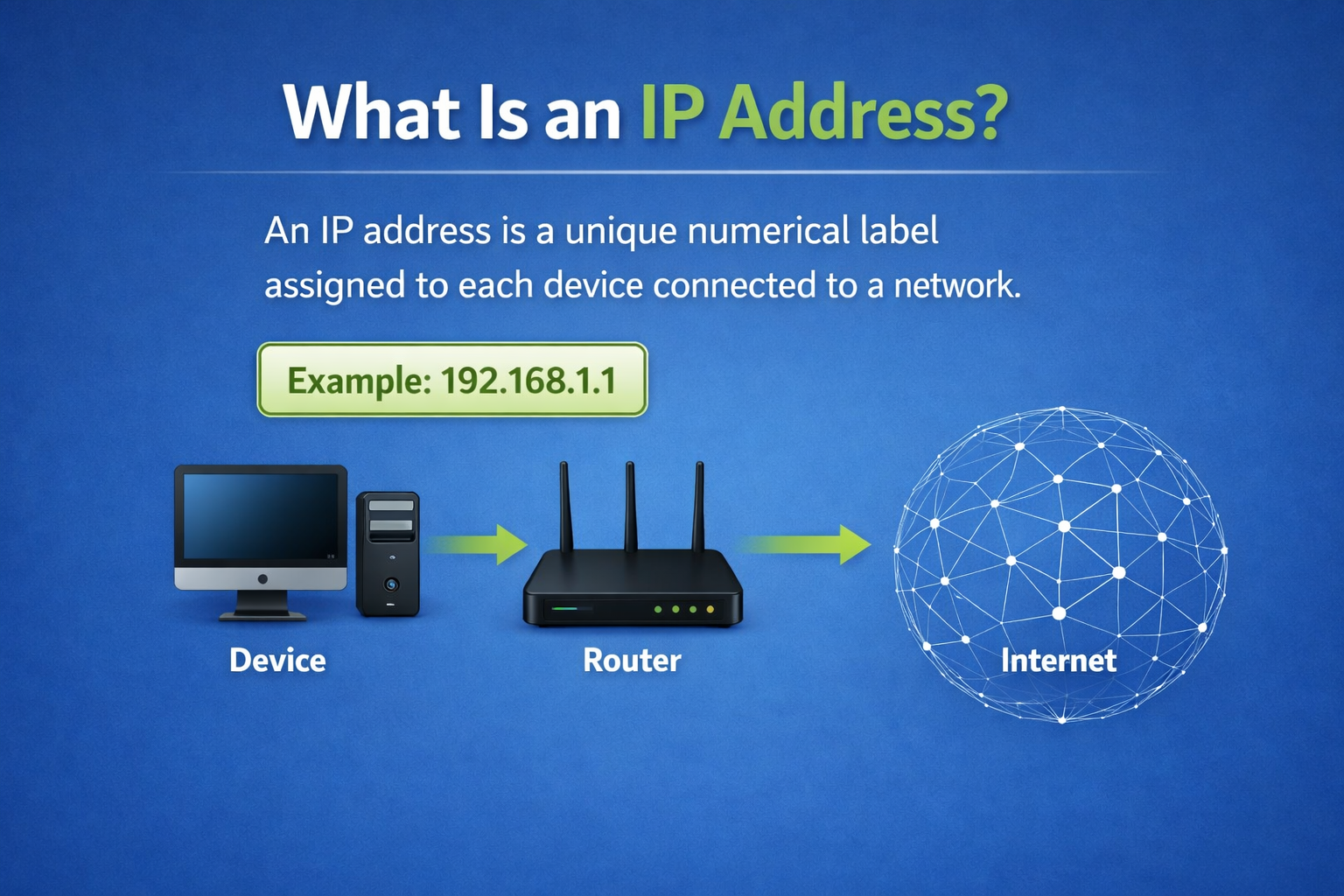
What is an IP Address? An IP stands for Internet Protocol Address, and it is a numeric label given to a device to identify it on an IP network. An IP address is therefore similar to your home postal address in that it tells the Internet where to deliver packets of data between two points.
All devices that connect to the Internet will have their own unique IP address:
* computers
* smartphones
* servers
* routers
* firewalls
* smart televisions
* IoT devices
If there were no IP addresses, then devices would be unable to communicate with one another.
IP Address Meaning in Simple Terms
The meaning of the IP address is clear: it refers to the address used by a device over the Internet. When you go to see a Web page on the web, your computer uses its own IP address to send a message/request from your computer to the server’s IP address. When the server receives that request/message, it then sends back the data you requested from your original request/message sent from your device, i.e., web page displayed. All of this takes place very quickly, i.e., within milliseconds of each other. This means everything, i.e., web surfing or watching movies and television, happens in near real-time on the Internet.
How IP Addresses Work
- A good way of understanding what is an IP address , is to understand the communication via the Internet.
- Your computer sends out a request to access your selected website
- The Domain Name Service (DNS) changes that name into an IP address.
- A packet of information containing the potentially requested documents is then sent from your device to the specified IP address.
- Once the server receives the request for documents, it sends those requested documents back to the requesting IP address.
Therefore, the above steps create the conditions necessary for the correct delivery of all information.
Why IP Addresses Are Important
The essential part of any network or cyber security is the use of IP addresses. They are used to do many things, including:
- Identify devices
- Route internet traffic
- Host websites
- Configure firewalls
- Enable remote access
- Monitor network activity
- Detect cyber threats
Without having valid IP addresses to work with, neither a router nor a firewall will know where to send or block any data.
Types of IP Addresses
It’s important for network professionals to understand the different kinds of IP addresses.
Public IP Address
Your ISP assigns you a Public IP Address that can be viewed from the internet.
Reasons for Using Public IP Addresses:
– Accessing Websites
– Hosting Servers
– Remote Connectivity
Private IP Address
A Private IP Address is used on the internal network of a home or office.
Often used Private IP address ranges are:
– 192.168.x.x,
– 10.x.x.x,
– 172.16.x.x – 172.31.x.x
Static IP Address
A Static IP Address does not change and can be configured manually.
Static IP Addresses are most often assigned to devices such as:
– Web Servers
– Firewalls
– VPNs
– CCTV systems
Dynamic IP Address
A Dynamic IP Address is assigned to you by DHCP and can change, and the address assigned can change without you knowing.
Dynamic IP Addresses are most commonly used for residential internet service.
IPv4 vs IPv6
Among the key areas of network communications the two protocol versions,IPv4 vs IPv6. are critical.
IPv4
- IPv4 (Internet Protocol version 4) is the protocol which is most commonly used.
- For example; the following is a typical IPv4 address: 192.168.1.1
- Each IP address in this protocol is 32 bits (4 bytes) in length and can have about 4.3 billion unique addresses.
IPv6
- IPv6 (Internet Protocol version 6) was designed to alleviate many of the restrictions that IPv4 has built-in.
- As an example an IPv6 address will look like this: 2001:db8::1
- IP versions in IPv6 will also use 128 bits (16 bytes) for each address, therefore providing an almost limitless number of possible addresses.
Why IPv6 Matters
The reason that IPv6 has been proposed as an alternative to IPv4 is to ensure that adequate IP addresses remain available for the continual growth of the internet.
Public vs Private IP Address
It is important to know about public vs private IP address for networking and security purposes.
Public IP addresses are reachable on the internet; private IP addresses are used on a local area network (LAN).
NAT on routers provides access to multiple private devices on a single public IP address.
This setup has the advantage of improving efficiency and enhancing security.
What Is My IP Address?
When you’re having trouble connecting to the internet, it’s common to search for What Is My IP Address?” to help troubleshoot.
Generally speaking, your device will have:
- A private IP address that was assigned to it by your router
- A public IP address that was assigned to you by your ISP
Both of these are needed so that you can communicate with other devices via the Internet.
IP Addresses in Firewall and Security
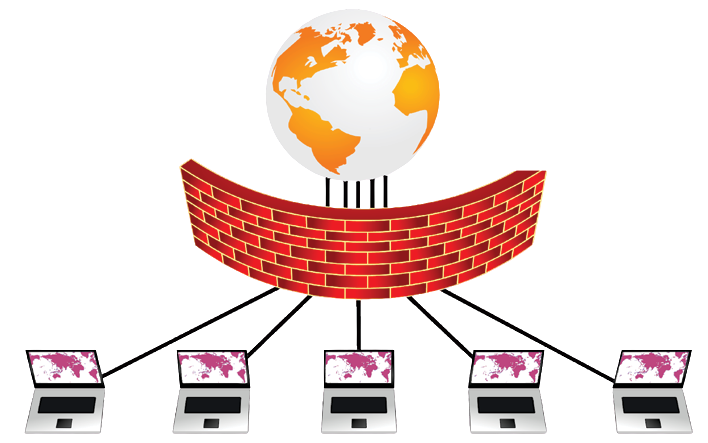
IP addresses play a vital role in both network security and configuring firewalls at Firewall Zone.
Firewalls utilize the following features of IP Addresses:
- Allowing trustworthy traffic
- Blocking malicious IP Addresses
- Limiting access based on physical location
- Tracking suspicious activity
- Establishing VPN tunnels
Through analyzing logs, tracing attacks, and safeguarding their networks, cybersecurity experts rely on IP Addresses to perform these essential tasks.
Common Networking Terms Related to IP Addresses
DNS
Transforms domain names into IP addresses.
DHCP
Gives out IP addresses automatically to devices.
NAT
Allows many devices to use the same public IP address.
Subnet Mask
Shows the network portion vs the host portion of an IP address.
Gateway
The device that sends information between networks.
Can Someone Track You Using Your IP Address?
Many users protect their privacy by using a VPN, which masks their public IP address.
An IP address may disclose the following broad items:
- Country
- Region
- ISP
But, in general, an IP Address does not tell you what your home address is.
In solution to the above statement, many users use a VPN to protect their privacy by concealing their public IP Address.
Best Practices for IP Address Management
For a safe, productive network:
- Implement static IP addresses on critical servers
- Use DHCP for end-user devices
- Check for and monitor for unusual IP activities
- Block any suspicious IP addresses
- Create sub-networks to segment your networks
- Prepare the network for IPv6 replacements
Future of IP Addresses
Technological developments like cloud computing, IoT (Internet of Things), and 5G continue to flourish, and IP addresses will still serve as the backbone for networking during these periods of evolution.
IPv6 adoption rates are growing faster than expected; therefore, understanding What Is an IP Address and how it creates a secure means of communicating is very critical.
Conclusion
If you are wondering What Is an IP Address, it is a unique number assigned to each device that allows it to send and receive information over the Internet or on a local network.
From browsing web pages to setting up corporate firewalls, all internet-based communications rely on an IP Address.
It is important for anyone working in networking and/or cybersecurity to understand what an IP address is, the various types of IP Addresses, and the differences between IPv4 vs IPv6
For more expert tutorials and the latest cybersecurity information, please visit Firewall Zone.
📞 Enroll Now
📍 Location: Beside KFC & McDonald’s, Opposite Pillar No: 3, Mehdipatnam, Hyderabad
📞 Call: +91 8886192132
📧 Email: info@firewall-zone.com
🌐 Website: www.firewall-zone.com
Our team will guide you through course options, fee details, certification tracks, and help you choose the best path based on your career goals.
FAQs:
1.What Is an IP address?
An Internet Protocol (IP) address is a numerical representation used as an identifier for a device connected to the Internet. Each IP address represents a different unique device and allows for communication between devices over networks.
2.What is the difference between IPv4 and IPv6?
IPv4 (Internet Protocol Version Four) has a 32-bit address and can support around 4.3 billion devices. IPv6 (Internet Protocol Version Six) has a 128-bit address. The number of devices that can be supported by IPv6 is virtually limitless.
3.What is the difference between public and private IP Addresses?
Public IP Addresses are the same as your actual address on the Internet, while Private IP Addresses are assigned to computers or devices on a local network, such as a home or office.
4.Can an IP address tell me the exact location of my device?
An IP address will provide you with an approximate geographical location and the Internet Service Provider connected to your device; it will not provide you with an exact location.
5. Why are IP addresses important for cyber security?
IP Addresses are crucial to cyber security. Security professionals monitor devices, track and block malicious traffic, and use IP addresses to set rules for firewalls and, therefore, protect clients and their businesses.
.
[forminator_form id=”7589″]